12 Best Practices for Team Inbox Management

A shared inbox should make your team faster and clearer. In practice, it often does the opposite. Emails get ignored because everyone assumes someone else is handling them. Duplicate replies go out to the same customer. Work falls through the cracks at shift handovers.
None of that is inevitable. Most shared inbox problems come down to missing process, not missing tools. The right practices can turn a chaotic team inbox into a reliable, high-performance system.
Here are the best practices that actually move the needle.
1. Assign Every Email to an Owner
The fastest way to kill inbox performance is to leave emails unassigned. When nobody owns an email, nobody feels responsible for it.
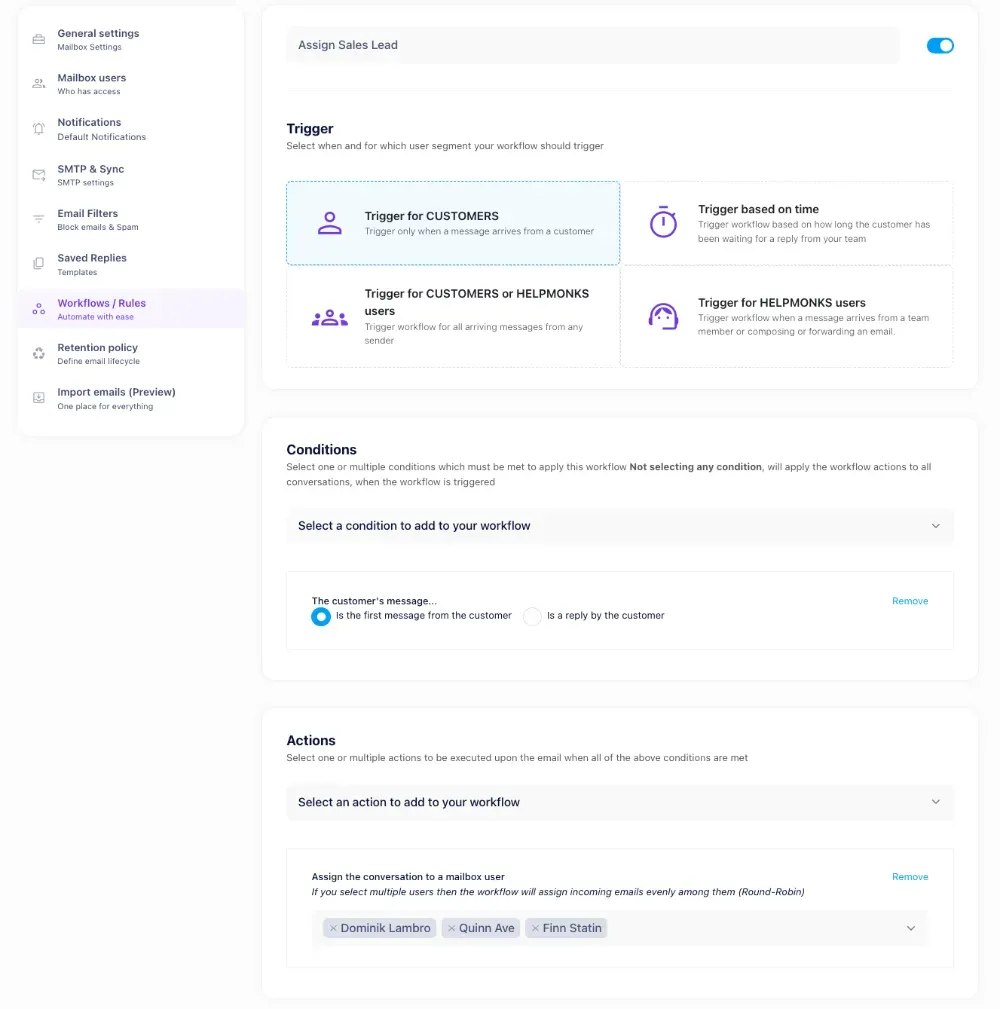
Every email that lands in your shared inbox should get assigned to a specific person within minutes. Whether you do that manually or set up automatic assignment rules, the rule is simple: one email, one owner.
With Helpmonks, you can assign conversations manually or create workflows, which enable defining auto-assignment rules based on sender, subject keywords, or team availability, or another condition. Either way, the goal is the same: no email goes unowned.
2. Use Labels to Sort by Priority and Type
Not all emails are equal. A billing dispute needs faster attention than a general question. A bug report needs a different workflow than a feature request.
Labels let you organize that complexity at a glance. Set up a clear label structure before you need it:
- Urgent / Normal / Low for priority
- Billing / Technical / General for type
- Waiting on customer / Waiting on internal for status
Keep the list short. Too many labels create confusion. The goal is to answer one question quickly: what needs my attention right now?
3. Agree on Response Time SLAs
Teams that hit response time targets consistently have one thing in common: they decided what those targets were before they started measuring.
Set clear SLAs by email type. Urgent technical issues might warrant a one-hour first response. General inquiries can wait four hours. Write them down, share them with the team, and track against them.
Without agreed SLAs, 'fast' means different things to different people. That ambiguity is where customers fall through the cracks.
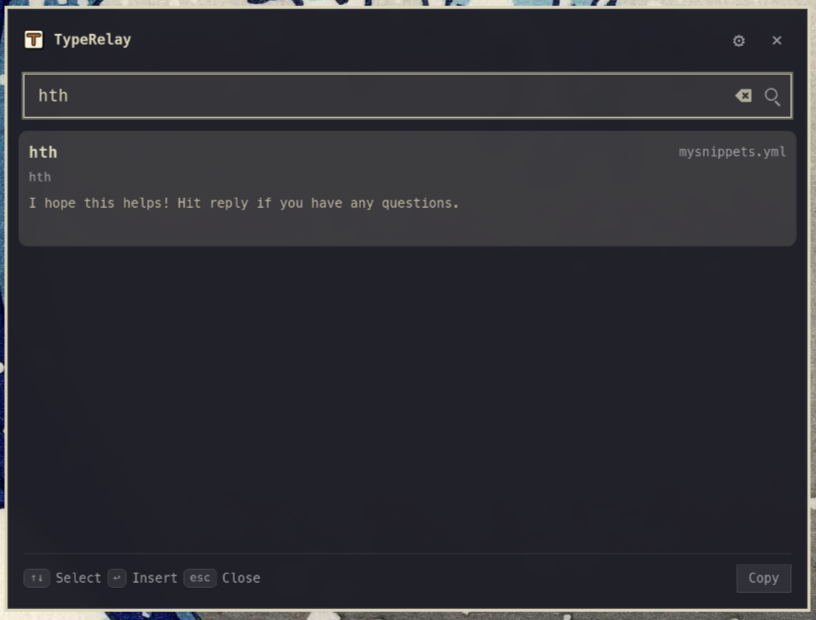
4. Write Shared Templates for Common Questions
Most teams answer the same 10 to 20 questions repeatedly. Every time someone writes a fresh reply to 'How do I reset my password?' they are wasting time and introducing inconsistency.
Build a library of response templates for your most common queries. Good templates are not copy-paste robots. They are starting points that a team member can personalize in 30 seconds rather than drafting from scratch in three minutes.
The Helpmonks features page covers built-in template support so your whole team pulls from the same library, not scattered personal drafts.
5. Set Up Collision Detection
Two agents writing separate replies to the same customer email is one of the most embarrassing things that can happen in a shared inbox. It signals internal chaos to the customer and wastes both agents' time.
Good shared inbox software includes collision detection: a live signal that shows when another team member already has an email open or is drafting a reply. Before you start writing, you know whether someone else is already on it. And if someone else's reply lands right as you're about to send yours, your message should be held so you can decide whether it still makes sense next to what your teammate just said.
This feature alone justifies moving off a generic email client like Gmail or Outlook into a purpose-built shared inbox tool.
6. Keep Internal Notes Separate from Customer Replies
When working on a tricky email, your team needs to be able to talk to each other without the customer seeing those internal messages.
Internal notes (sometimes called internal comments) let you thread a conversation between teammates directly inside the email ticket. No forwarding, no separate Slack threads, no risk of accidentally sending an internal note to the customer.
This keeps context in one place. When an email gets escalated or handed off, the next agent reads the internal notes and knows exactly what happened before.
7. Define a Clear Escalation Path
Not every agent can handle every email. Technical issues may need a developer. Billing disputes may need a manager. Angry enterprise customers may need a senior account owner.
Without a defined escalation path, teams either hold onto emails they cannot resolve or escalate everything to whoever is most available. Both are bad.
Document your escalation matrix: what type of issue goes to whom, and what the expected handover information looks like. Build it into your onboarding so every new team member knows the path before they need it.
8. Run a Daily or Weekly Inbox Review
Even well-run inboxes drift. Emails sit at 'waiting on customer' status for two weeks without a follow-up. A label gets misused. Response times creep up without anyone noticing.
A short inbox review on a regular cadence catches those problems early. Five minutes at the start of a shift to check for anything stale or mislabeled can prevent hours of cleanup later.
What to check:
- Any emails open longer than your SLA threshold
- Anything assigned to someone who is out of office
- Any labels that look wrong
- Response time metrics vs target
9. Integrate Your Shared Inbox With Your CRM
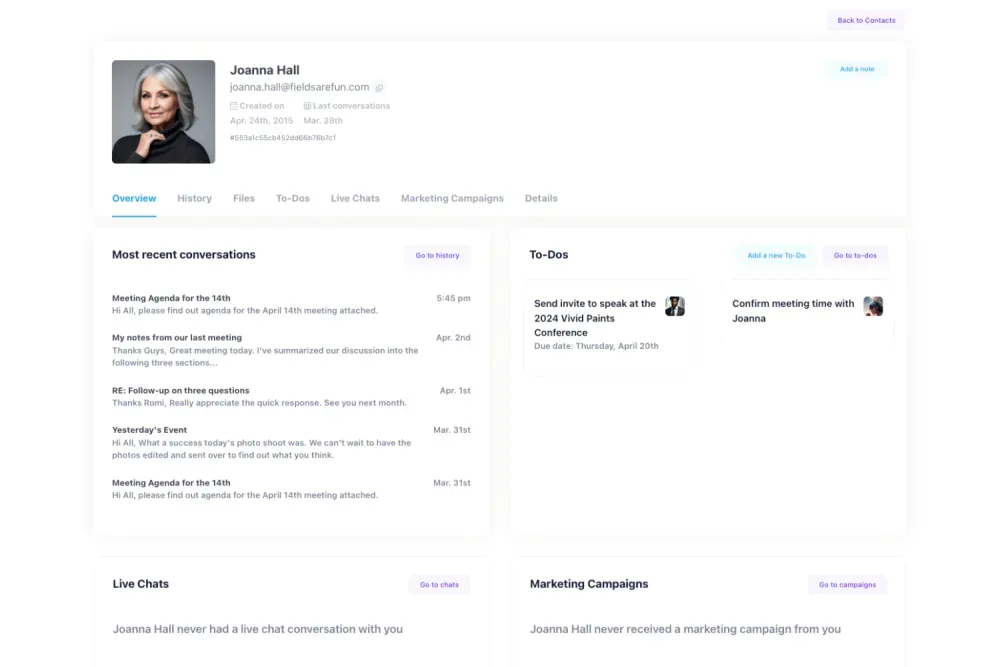
Support context and sales context belong together. When a customer emails about a billing issue, it helps to know they are a long-term enterprise customer or that they had the same issue three months ago.
Integrating your shared inbox with your CRM puts customer history next to every conversation. Agents stop flying blind, responses get more relevant, and you stop asking customers to repeat themselves.
10. Measure What Matters
Team inbox management without metrics is guesswork. You need data to know whether your practices are working and where to focus improvement.
The metrics worth tracking:
- First response time
- Resolution time
- Number of replies per resolution
- SLA compliance rate
- Volume by category (so you can spot recurring issues)
Pick three to start. Add more when you have the baseline. The goal is not a dashboard full of numbers; it is a short list of signals that tell you whether the inbox is healthy.
11. Standardize Your Handover Process
Shift changes and team handovers are where context gets lost. The incoming agent does not know what was promised, what is pending, or which emails are time-sensitive.
Standardize what a complete handover looks like. It could be as simple as: open emails with their current status, anything that needs action in the next two hours, and any internal commitments made to customers.
Write the format down. Make it a habit. The two minutes spent on a clean handover saves 20 minutes of catching up on the other side.
12. Review and Update Your Process Every Quarter
The right team inbox process for a five-person team is not the right process for a 25-person team. Processes that worked when you handled 50 emails a day will break at 500.
Build a quarterly review into your calendar. Ask three questions: what is slowing us down, what are we doing that we could automate or template, and what has changed in our volume or team structure that the current process does not account for?
The best inbox operations are not set-and-forget. They are iterated.
The Right Tool Makes All of This Easier
Process is the foundation, but the right software removes friction at every step. A tool built specifically for shared inboxes handles assignment, collision detection, internal notes, templates, and reporting in one place.
Check the Helpmonks pricing page to see which plan fits your team size. Whether you are running a two-person support operation or coordinating a 30-person customer success team, the right plan gives you the structure to run the practices above without extra overhead.
You can also explore the full Helpmonks features to see how user-defined workflows, SLA tracking, canned responses, and internal notes work in practice.
Start With Two, Not Twelve
Twelve best practices is a lot to absorb. If you are starting from scratch, pick two that address your most painful problem right now.
For most teams, that means assignment ownership (so nothing goes unowned) and response templates (so the most common replies are consistent and fast). Get those two working well, then layer in the rest.
Team inbox management is not a one-time project. It is an ongoing discipline. The teams that do it well are the ones that treat it that way.
Ready to give your team a better foundation? Get started with Helpmonks and see how a purpose-built shared inbox changes the way your team works.