
Email Marketing vs Customer Support: Choose the Right Workflow

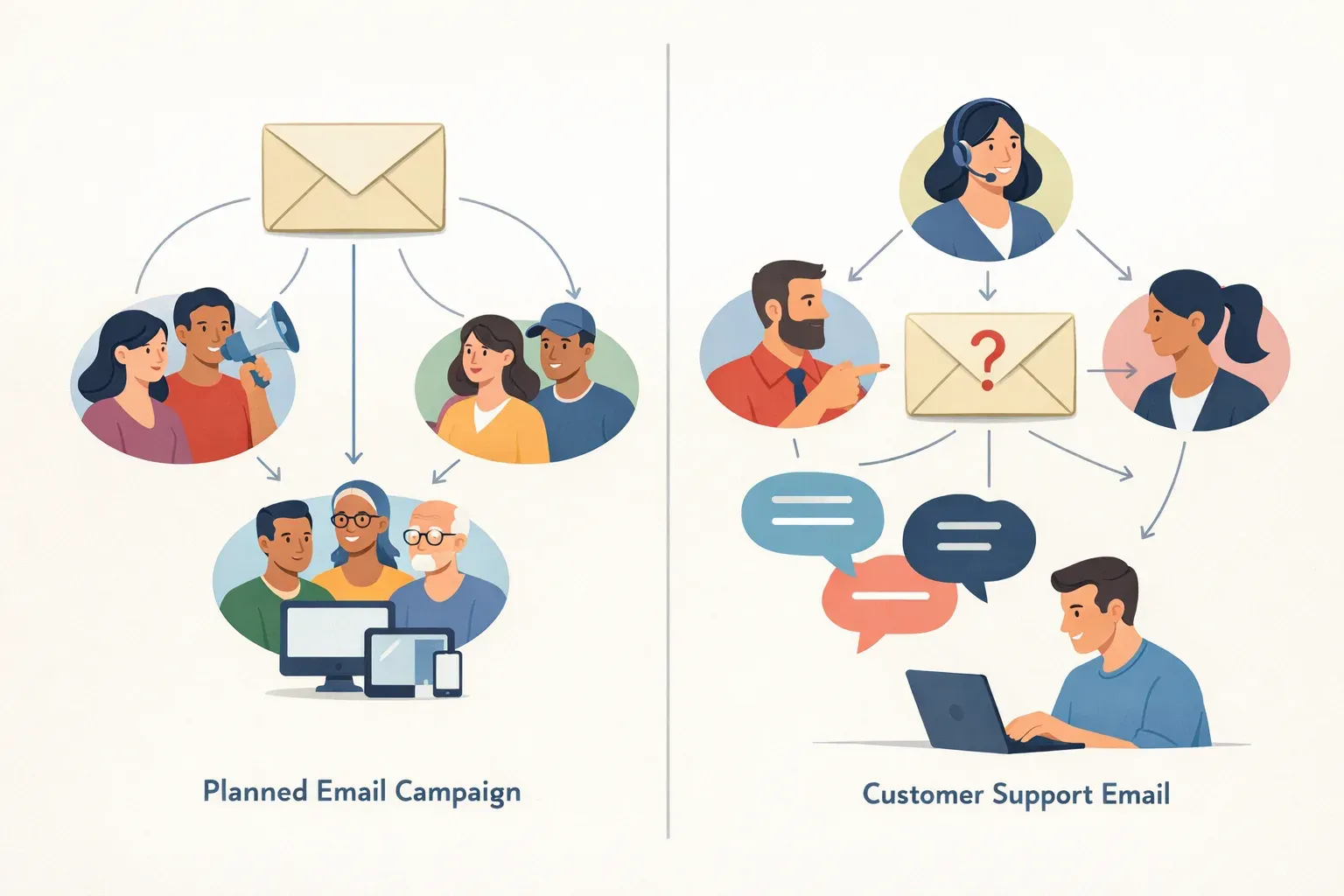
An email sent to hundreds of subscribers and a reply to one customer's billing question may both come from a company, but they need different workflows. One is a planned message to an audience. The other is an active conversation that someone on the team needs to own and resolve.
Choosing the right tool starts with that distinction. Email marketing tools organize campaigns for groups of recipients. Customer support workflows organize incoming conversations so a team can respond, collaborate, and follow through.
Helpmonks is not an email marketing blast tool; it is built for managing customer conversations, shared mailboxes, and team response workflows. That makes it a fit for teams handling customer email together, not for sending bulk promotional campaigns.
Email marketing and customer support serve different purposes
Email marketing is usually outbound and audience-based. A team prepares a message, chooses who should receive it, and sends it to many people. Examples include a product announcement or a scheduled update. The work centers on the message and its audience.
Customer support email is usually conversation-based. A person asks a question, reports a problem, or follows up on an account. The team needs to understand the request, decide who will handle it, and keep the exchange moving until the customer has an answer.
The distinction is not simply "many recipients versus one recipient." A support request can involve several people on the customer side, and a campaign can prompt individual replies. The key question is what the team must manage: a planned send to an audience, or an ongoing conversation with a clear owner and next step.
| Workflow area | Email marketing | Customer support |
|---|---|---|
| Main purpose | Send planned messages to an audience | Respond to individual customer needs |
| Typical starting point | A campaign or scheduled send | An incoming question or request |
| Team's central task | Prepare and send the message | Assign, discuss, answer, and follow up |
| Useful context | Audience and campaign details | Conversation history and customer details |
| What can go wrong | The message goes to the wrong audience or misses its intended timing | A request is overlooked, duplicated, or left without a next step |
What a customer support workflow needs
A shared support mailbox is more than a place where several people can read the same email. Without clear ownership, two teammates may reply to one customer while another request sits unanswered. A useful support workflow makes it clear who is responsible and what still needs to happen.
A team handling customer conversations typically needs to:
- See incoming requests in one place. Requests sent to a shared address should be available to the relevant team, rather than scattered across personal inboxes.
- Assign an owner. Someone should be accountable for responding, even when colleagues can still help.
- Collaborate without adding internal discussion to the customer reply. Teammates may need to share context, ask a question, or leave a note before the next response.
- Keep the conversation history together. A reply should be informed by earlier exchanges, so customers do not have to repeat information.
- Track follow-ups. If an answer depends on another team or a later check, the conversation needs a clear next step.
- Use customer context. Related messages and relevant details can help the team understand who is asking and what has already happened.
These needs apply to support, billing, operations, and shared sales conversations. In each case, the work is centered on a person or organization and the next action their conversation requires.
Where Helpmonks fits
Helpmonks is shared inbox software for teams managing customer email together. A team can assign conversations, collaborate with notes and follow-ups, and keep conversation history and customer context in one place. The aim is to make ownership and coordination visible without requiring teammates to manage each request in separate personal inboxes.
For example, a customer emails a shared billing address about an invoice. The team can assign the conversation to the person who handles billing, add an internal note if another teammate has relevant context, and follow up in the same thread. If the customer writes again, the team can review the earlier exchange rather than treating the new message as an isolated request.
Helpmonks also supports customer records and company context. That can help a teammate see how a conversation relates to prior interactions with the same customer or organization. Read more about company records and shared inbox workflows.
Internal notes are useful when the team needs to coordinate before sending a customer-facing reply. They let colleagues discuss an email without putting that discussion into the response itself. See how Helpmonks handles private notes on email conversations.
For repeat questions, saved replies can help a team start from a consistent answer and adapt it to the customer's situation. That is different from sending one campaign to a list: the response belongs to an individual conversation. Helpmonks documents variables and attachments in saved replies.
A quick way to choose
Choose an email marketing tool when the task is to prepare and send a planned message to a defined audience. The workflow is about campaign creation and distribution.
Choose a shared inbox workflow when people are contacting your team and someone must take responsibility for each conversation. The workflow is about assignment, collaboration, customer context, and follow-through.
Some organizations need both types of tools because they do different jobs. The important thing is to avoid treating a shared support mailbox like a campaign list, or expecting a campaign tool to coordinate ownership of incoming customer requests.
If your team mainly needs to manage replies to customer emails, start by asking:
- Can everyone who needs to help see the conversation?
- Is it clear who owns the next response?
- Can teammates share internal context without sending it to the customer?
- Can someone review the customer's previous conversations?
- Is there a way to keep track of a promised follow-up?
If these questions describe your day-to-day work, the problem is customer communication workflow, not email marketing.
Keep the workflow aligned with the job
Email marketing and customer support both use email, but they solve different coordination problems. Marketing sends messages to an audience; support teams manage incoming conversations and the work required to resolve them.
Helpmonks is designed for the second job: coordinating customer email in shared mailboxes, with assignment, collaboration, follow-ups, and customer context. If your team needs a shared place to handle those conversations, learn more about Helpmonks.