Knowledge Sources: Give Helpmonks AI the Context Your Customers Need
A customer asks a simple question. Your team knows the answer is somewhere: in a help article, a product update, an internal note, or a decision made several weeks ago. Before anyone can write a useful reply, someone has to find that information, check whether it still applies, and bring it back to the conversation.
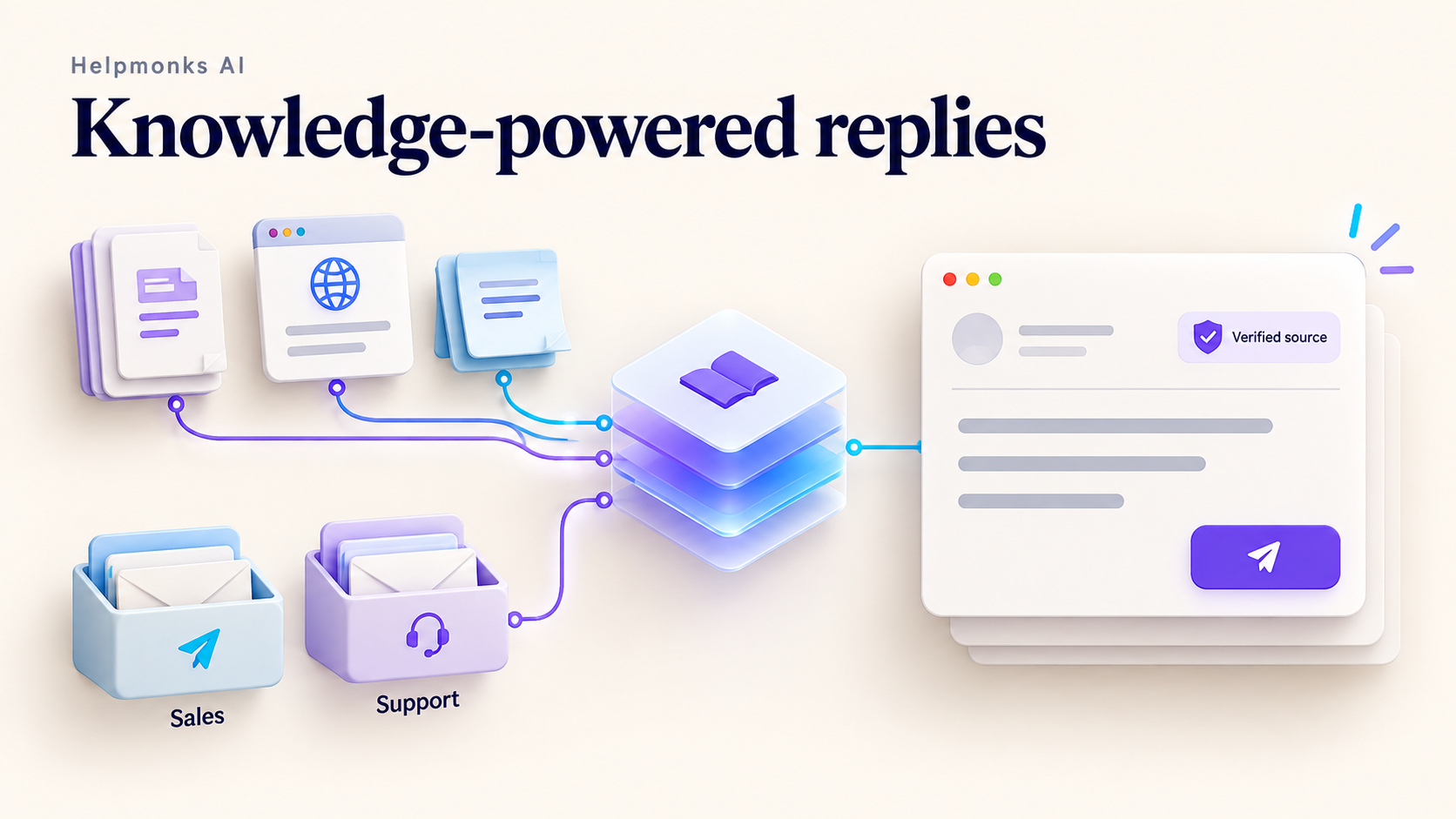
Knowledge Sources is a major update to Helpmonks AI that connects that research directly to writing a reply. You can give Helpmonks AI access to selected websites and reference pages, connect your company's knowledge in Streamient, and tailor the sources used by each mailbox. When a teammate selects Help me write, the AI can look for relevant evidence and use it to prepare an editable suggestion.
The benefit goes beyond more polished sentences. Your team can spend less time hunting for the right information, give customers more consistent explanations, and make useful knowledge available to people who were not part of the original discussion.
Bring your company's knowledge into the shared inbox
Knowledge Sources gives you one central place to manage the material Helpmonks AI can consult. Add a specific page or a website within a URL path, choose its source type, and let Helpmonks index the content. Sources can include a help center, developer documentation, product updates, or published policies. Indexing progress and errors are visible, and custom sources refresh daily. You can also request a fresh index when you update important material.
That means the information your team already maintains can do more work. A troubleshooting guide can help with a support reply. An integration page can help answer a sales question. A release announcement can establish that a capability is available, rather than leaving the AI to guess from general knowledge.
Choose material that is accurate, relevant, and maintained. Adding a URL is the beginning; its useful content needs to be extracted and indexed before it can support an answer.
Streamient connects the knowledge behind the documentation
Public documentation rarely tells the whole story. Your team may also maintain product decisions, implementation notes, reusable explanations, and saved reference material. Streamient makes that knowledge searchable across projects, and the Helpmonks integration brings it into the reply-writing process.
Connect Streamient as your memory and knowledge source provider, then choose which projects Helpmonks should read first. The integration can retrieve relevant notes, memories, saved URLs, and crawled pages. A public guide might describe the supported workflow, while a project note explains an important limitation or distinguishes a planned improvement from something customers can use today.
Consider a software company with support, sales, and onboarding teams. A product decision captured in Streamient can inform a sales reply weeks later. A documented workaround can help a new support teammate understand a recurring question. An onboarding guide can help explain a customer's next step. The same maintained knowledge becomes useful in several conversations without someone manually pasting it into every AI request.
Give each mailbox the right starting point
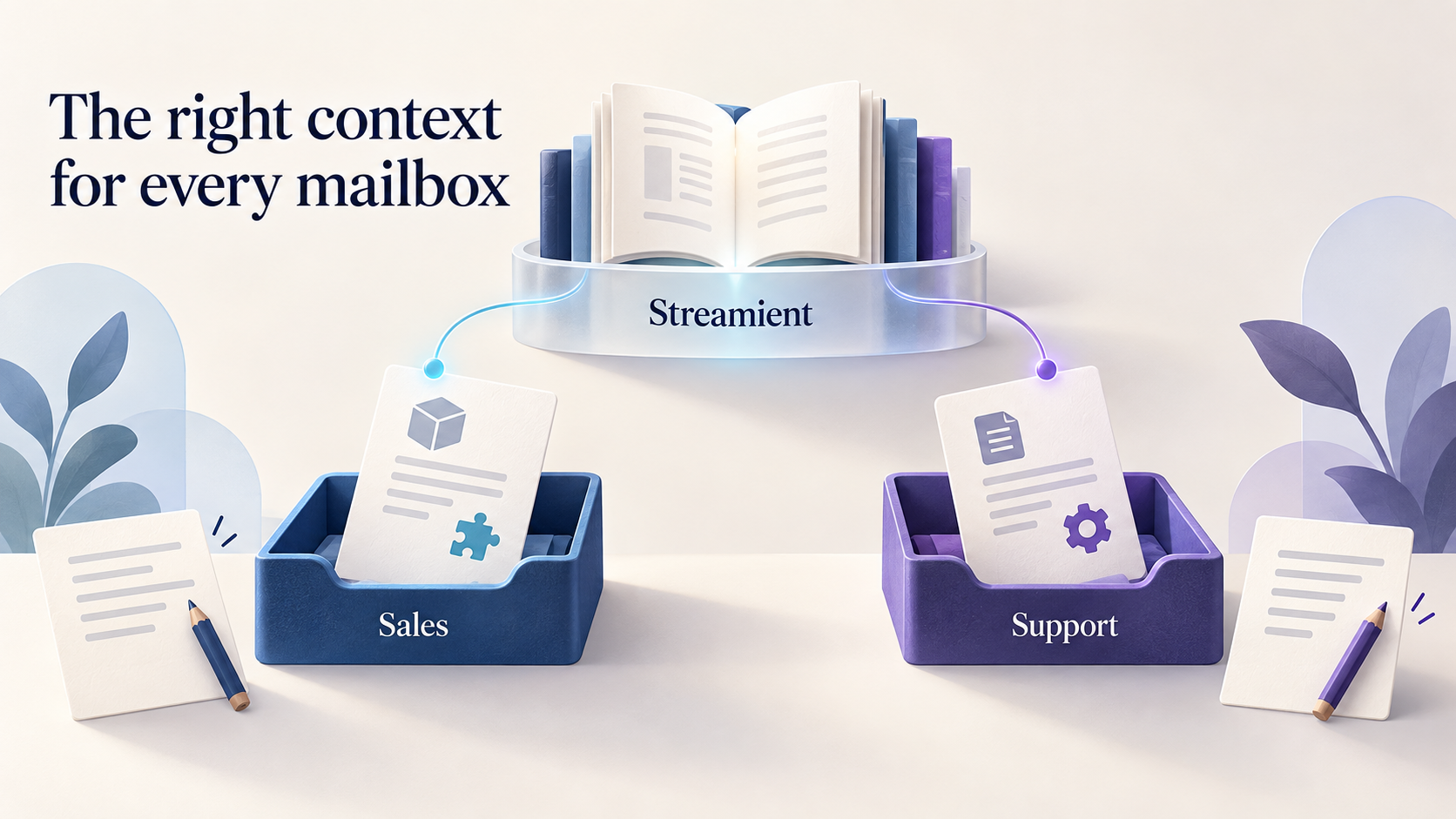
Different mailboxes often need different context. Your sales team may need product guides and integration documentation. Support may need troubleshooting material and release notes. A company with several products may want each product mailbox to begin with its own Streamient projects.
Open a mailbox's settings and select Helpmonks AI. The settings are organized into three tabs:
- Info: Add a product name, aliases, and instructions that help establish the mailbox's context and preferred reply style.
- Reading: Inherit the central defaults or choose Streamient projects and custom sources for that mailbox. Searchable project selectors make it easier to find the right material.
- Writing: Inherit the central memory-writing preference, disable it, or choose a Streamient destination.
The selected projects are the first place Helpmonks looks. When the search succeeds but does not provide enough usable evidence, Helpmonks can search all Streamient projects accessible to the connected account. Explicit questions about another product can also consult the central default sources. The suggestion shows when a broader search was used.
This helps when the right answer lives outside the expected project. It also matters when you configure access: select a Streamient connection whose accessible projects are appropriate for your Helpmonks workspace. A mailbox's preferred projects guide the first search; they are not a separate confidentiality boundary for the broader fallback.
Example: answer a feature question without guessing
A customer writes, “Can I download all the attachments from an email at once?” A generic assistant might offer an Outlook workaround or invent a button that does not exist in your product. With Knowledge Sources, Helpmonks can search the connected material for the actual capability.
A relevant release article can establish that downloading all attachments is supported. That gives the reply a useful factual foundation. If the retrieved passage does not show the exact button location or explain the archive format, those details should remain qualified instead of being filled in with assumptions.
For customers, that can mean a direct answer sooner. For your team, it means less time searching old announcements and a clearer distinction between what is documented and what still needs checking.
Example: help sales explain an integration accurately
A prospect asks whether your service connects to their existing platform and whether a particular synchronization option is included. Your sales mailbox can start with the integration documentation and the corresponding Streamient product project.
Helpmonks AI can use a current guide to explain the supported connection and consult relevant project knowledge for limitations. If a requested option appears only in a roadmap note, it should not become a claim that the feature is already available.
The salesperson still reviews and sends the reply, but starts with evidence instead of a blank page. This is especially helpful when a prospect asks several related questions: the draft can answer supported parts while making the unresolved parts clear.
Example: support several products with one team
Imagine one team handling two products through separate mailboxes. Each product has its own terminology, documentation, and Streamient project. Mailbox-specific reading settings give Helpmonks AI a useful starting point for each conversation.
If a customer emails the wrong product address, the product name in the message can help identify the mismatch. Broader retrieval can find relevant knowledge beyond the initial selection, while the evidence checks still ask whether a passage applies to the product and question at hand.
This can reduce the back-and-forth involved in finding the right colleague or reference. It also helps a teammate move between mailboxes without carrying every product detail in their head.
Example: make experienced teammates' knowledge more useful
New teammates often ask experienced colleagues the same questions: Why does this setting work that way? Which guide should we use? Is that behavior expected, planned, or a known issue?
When those explanations are captured as maintained notes and documentation, Knowledge Sources can bring them into relevant drafting requests. A new teammate can see the supporting passages beside the suggestion, learn the reasoning, and review the answer before using it.
You can also enable optional memory learning after successful sends. Helpmonks can extract reusable facts from the authored reply and save them to a selected Streamient project. Drafts are not learned, and memory writing can be disabled or configured per mailbox. This is intended to capture useful knowledge, not to copy private correspondence wholesale. Automatically learned material remains context to review, rather than independent proof that a product claim is correct.
Evidence and human review stay part of the process
Helpmonks AI turns the question into focused searches, selects relevant passages, and checks factual claims in the proposed reply against that evidence. It can revise unsupported statements and qualify information the sources do not establish. Supporting evidence and unresolved gaps appear separately from the editable email text.
Your teammate remains in control: review the suggestion, edit it, replace the draft, or insert the text where it is useful. Helpmonks does not automatically send these AI-generated replies.
Privacy also shapes the integration. Private Streamient email records are excluded from retrieved reply evidence because a shared workspace connection cannot establish that an individual teammate owns those emails. The authorized Helpmonks conversation still provides the customer context needed for its reply. Keep connected notes and websites appropriate for the team that will use them.
Source checks reduce unsupported claims, but they cannot turn missing or outdated documentation into a reliable answer. A reply that identifies an unanswered point is useful feedback: it shows your team where the knowledge itself needs attention.
Start with one mailbox and a few trusted sources
Open Settings → Helpmonks AI to connect Streamient and add your custom sources. Check that indexing has completed, then open a mailbox's settings and use Helpmonks AI → Info, Reading, and Writing to tailor its behavior.
Try a few real customer questions with Help me write. Review the evidence, check the supported details, and improve any source material that leaves gaps. Expand to other mailboxes as your team gains confidence.
Knowledge Sources gives your shared inbox access to more of what your business already knows. Combined with Streamient, it creates a practical path from maintained company knowledge to thoughtful customer replies—with your team making the final decision.