
Email Marketing Automation Tools for Customer Conversations
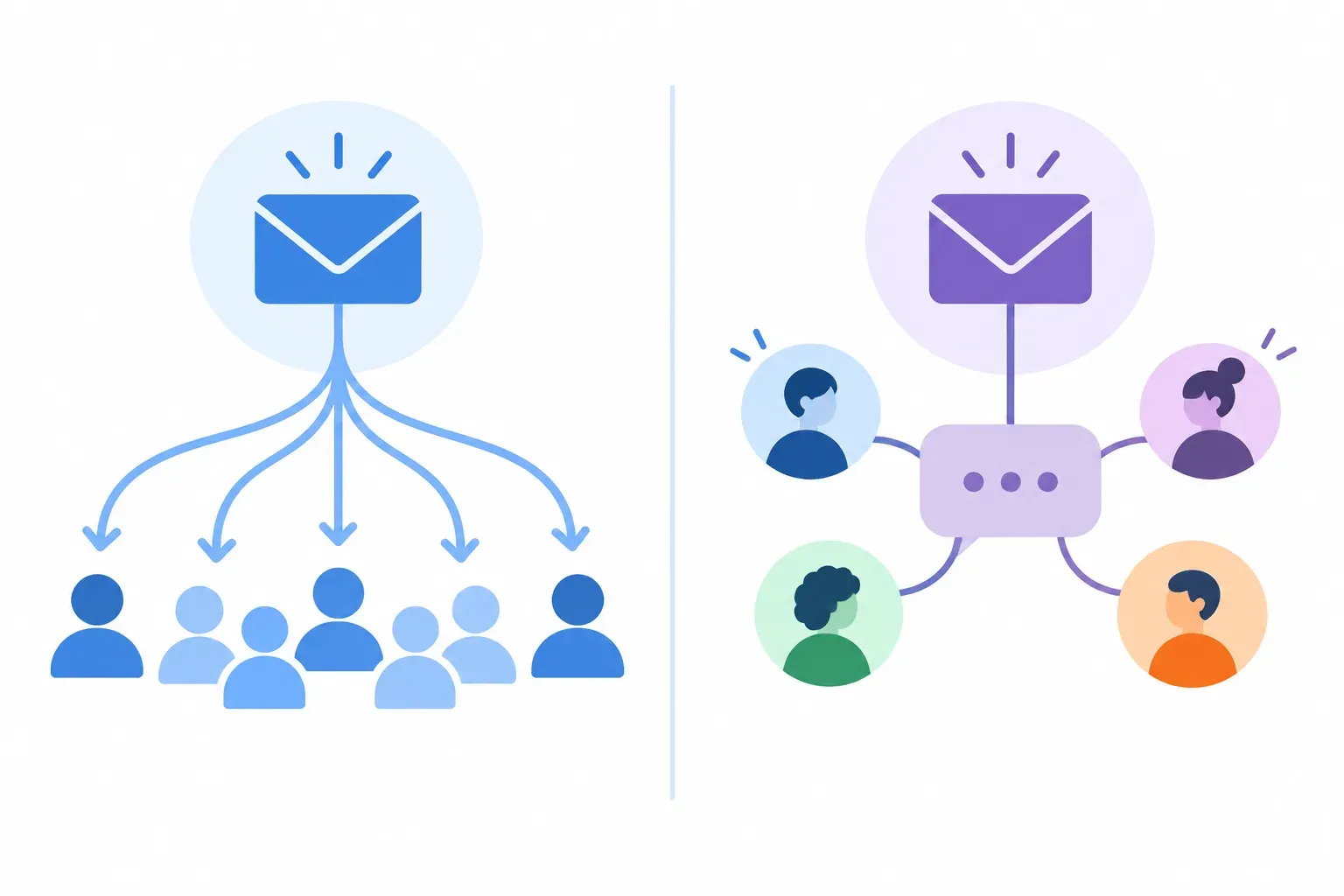
The phrase "email marketing automation tools" usually refers to software for sending scheduled campaigns, newsletters, and customer journeys. But teams searching for these tools may also be trying to solve a different problem: making sure customer emails are handled reliably once they arrive.
Those are separate workflows. Campaign platforms automate messages sent to an audience. A shared inbox helps a team manage incoming conversations, assign responsibility, and coordinate replies. Helpmonks supports the second kind of work. It is not a newsletter or bulk campaign platform.
What email marketing automation tools are designed to do
Email marketing automation software helps businesses plan and send communications to groups of subscribers. Common uses include scheduled newsletters, campaign sequences, and messages based on a contact's activity or place in a customer journey.
These tools are built around audiences and outgoing messages. Teams typically choose them to manage campaign content, recipient lists, and the timing of communications.
A shared inbox has a different job. It organizes messages customers send to a business, so a team can see who is handling each conversation and what needs to happen next. If your main concern is campaign creation, look for a dedicated email marketing platform. If your concern is unanswered support, billing, sales, or operations messages, look for a customer communication workflow.
For a closer look at where these jobs diverge, see email marketing versus customer support workflows.
Where Helpmonks fits among email automation tools
Helpmonks is shared inbox software for teams that handle customer emails. It brings incoming messages into a shared workspace where teammates can assign ownership, collaborate with internal notes, and keep conversation history and customer context together.
Its automation is about managing team communication, not creating promotional campaigns. The distinction matters when comparing tools: a platform can automate how a support conversation is routed or followed up without being designed to automate a newsletter or multi-step marketing campaign.
| Workflow need | Email marketing automation platform | Helpmonks shared inbox |
|---|---|---|
| Send newsletters or bulk campaigns | Core use case | Not the intended workflow |
| Organize incoming customer emails | May be available in limited or separate workflows | Core use case |
| Assign a conversation to a teammate | Not usually the main purpose | Supported |
| Collaborate on a customer reply | Not usually the main purpose | Supported with internal notes and follow-ups |
| Keep the customer conversation history together | Depends on the platform and setup | Supported in the shared inbox |
| Coordinate support across team members | Not usually the main purpose | Supported, including collision detection |
| Manage customer communication across channels | Depends on the platform and integrations | Shared inbox workflows can include email, live chat, and integrations |
This is not a head-to-head comparison of named vendors. It is a way to compare tool categories by the work they are meant to support. A marketing automation platform and a shared inbox can serve the same company, but they address different parts of customer communication.
Team workflows Helpmonks can support
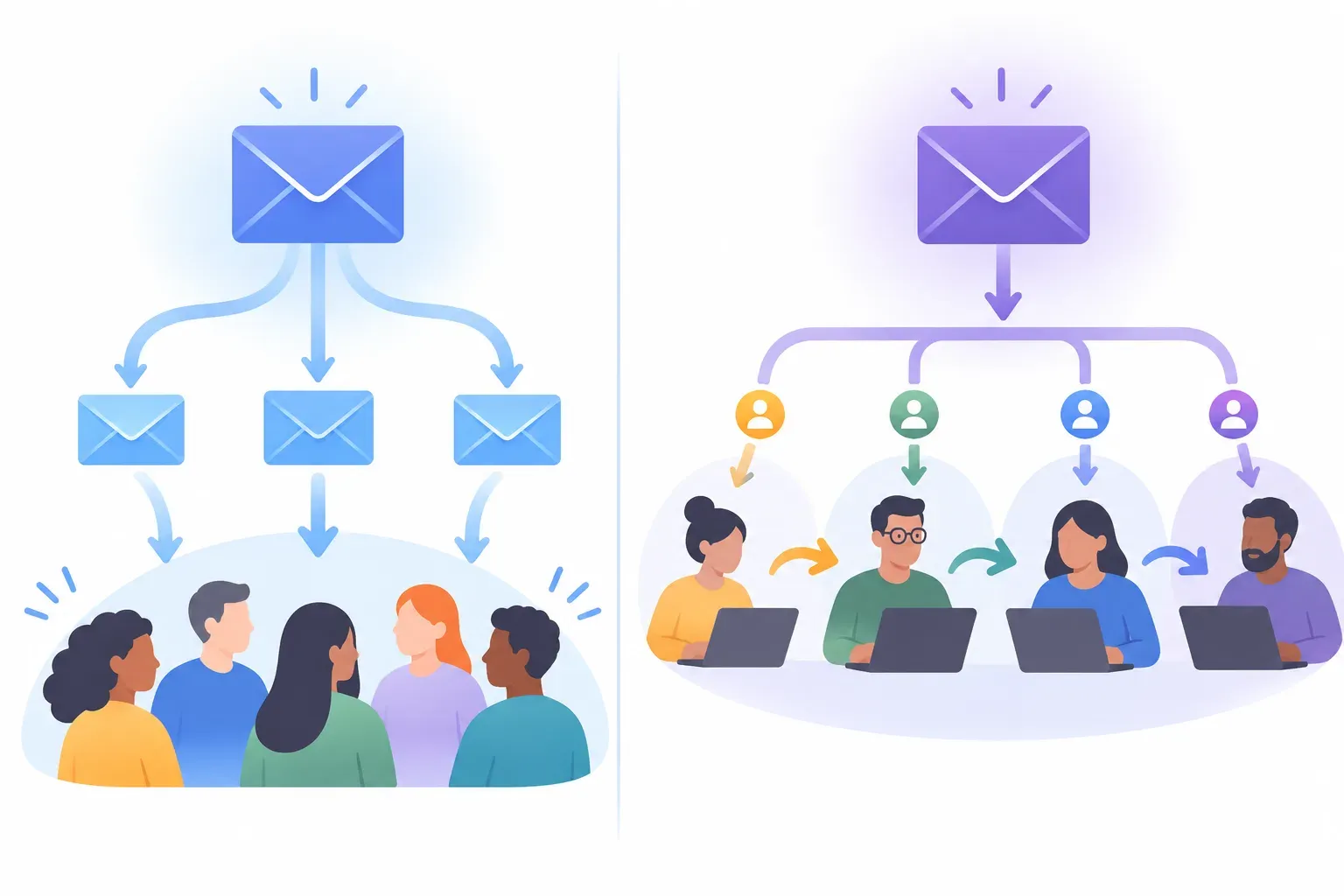
When evaluating automation tools for customer email, start with the points where a conversation can stall or become unclear. Helpmonks supports shared-inbox workflows that help teams manage those handoffs.
- Assign ownership: Give a conversation a clear owner so the team can see who is responsible for moving it forward.
- Coordinate replies: Collision detection helps teammates avoid working on the same response at the same time.
- Add internal context: Use notes and conversation history to keep relevant information available to the people handling the customer.
- Track follow-ups: Keep the next action attached to the conversation rather than relying on an individual inbox or memory.
- Support SLA workflows: Use team processes to keep response commitments visible and actionable.
- Handle customer communication in one workspace: Shared inbox workflows can connect email with live chat and integrations, depending on how the team works.
These capabilities are useful when a customer needs a person to respond, investigate, or coordinate with a colleague. For example, a billing question might need to move from an initial responder to someone who can check an account. Assigning the conversation and keeping notes with it gives the next teammate context without asking the customer to repeat the issue.
Likewise, when two agents can see the same message, collision detection helps reduce the risk of duplicate replies. The team can collaborate internally while keeping the customer-facing conversation clear.
See how Helpmonks brings team email workflows together for an overview of the product.
How to choose the right kind of automation
Before comparing features, write down the task you want to automate. "Send a welcome sequence to new subscribers" and "make sure every support email has an owner" may both involve email, but they call for different tools.
Choose campaign automation for planned outgoing messages
A campaign platform is a better fit when your primary need is to create and schedule communications for an audience. Consider whether you need campaign planning, audience management, or a sequence of outgoing messages. Those requirements are distinct from managing individual customer conversations.
Choose shared inbox automation for incoming requests
A shared inbox is a better fit when several people need to respond to customer emails from a common workspace. Look for clear assignment, visibility into conversation history, internal collaboration, and ways to prevent teammates from duplicating work.
Also check whether the workflow can account for follow-ups and response commitments. Automation should help the team keep a request moving, not just make it easier to sort a message.
Consider whether your team needs both
Some businesses need both campaign software and a shared inbox. Marketing may use one system for scheduled communications, while support, billing, and operations teams use another to answer customer-initiated messages.
Keeping the purposes distinct helps set accurate expectations. A campaign platform is not automatically a good support inbox, and a shared inbox is not automatically an email marketing system. If your team is comparing shared inbox options, this guide to avoiding double replies covers one practical coordination problem to assess.

Questions to ask when comparing tools
Use these questions to make the comparison specific to your team's work:
- Are the messages outgoing campaigns or incoming customer conversations? This is the first decision. It determines whether you should focus on campaign features or team inbox workflows.
- Who needs to act on each message? If responsibility passes between teammates, assignment and shared visibility matter.
- What context does the responder need? Conversation history and internal notes can help teammates respond without starting from scratch.
- How will the team prevent duplicate work? Ask how the tool makes ownership and active work visible to coworkers.
- What needs to happen after the first reply? Follow-ups and SLA-related workflows matter when a request cannot be resolved in one response.
- Which channels are part of the workflow? Consider whether your team needs email, live chat, or integrations in the same communication process.
These questions keep a comparison grounded in day-to-day work instead of a long feature checklist. They also help expose cases where one product category is being asked to do a job it was not designed for.
Is Helpmonks an email marketing automation tool?
Helpmonks is not designed for newsletters, bulk promotional campaigns, or marketing sequences. It is shared inbox software for managing customer communication, including assigning emails, collaborating on responses, tracking follow-ups, and keeping conversation context available to the team.
If you are choosing software to automate campaigns to an audience, evaluate email marketing platforms. If you need a team to handle incoming messages with clear ownership and collaboration, evaluate shared inbox software such as Helpmonks. If your organization needs both workflows, use tools suited to each job and make the handoff between campaign replies and customer support clear.
The right comparison starts with the message itself: are you planning to send it, or does a customer need your team to answer it?